
Print the sheets
| Sheet | What it's for | US Letter | A4 |
|---|---|---|---|
| Monthly bill tracker | This month's bills, ticked off as you pay them | Letter PDF | A4 PDF |
| Bill payment log | A running record of what you paid, when, and the confirmation number | Letter PDF | A4 PDF |
| Bill calendar | A blank month to write each bill on the day it lands | Letter PDF | A4 PDF |
| Bill | Due | Amount | Paid | Autopay | Paid on | Notes |
|---|---|---|---|---|---|---|
| Rent | 1st | $1,450 | ☑ | ☐ | Oct 30 | Portal, not check |
| Internet | 3rd | $65 | ☑ | ☑ | Nov 3 | On the credit card |
| Phone | 8th | $85 | ☐ | ☑ | — | Family plan |
| Car insurance | 12th | $142 | ☐ | ☐ | — | Went up in May |
| Electric | 22nd | $110 | ☐ | ☐ | — | Varies; last month's |
What's on each sheet
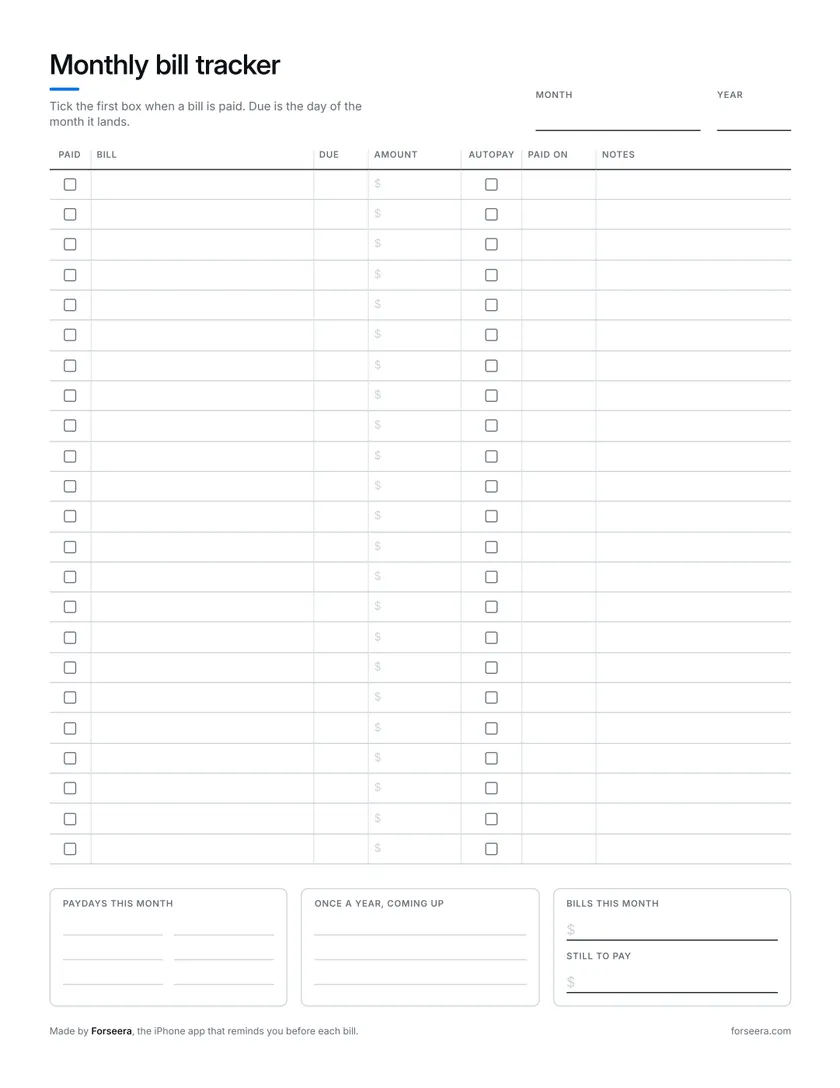
- Monthly bill tracker. A box to tick when a bill is paid, the day it is due, the amount, whether it is on autopay, the date you paid, and room for a note. Underneath: this month's paydays, the once-a-year bills coming up, and what the month's bills come to and what is still to pay.
- Bill payment log. Not a month, a running record. Date paid, the bill, when it was due, the amount, what you paid with, and the confirmation number, for the day someone says a payment never arrived. 27 payments to a Letter page, 29 on A4.
- Bill calendar. A blank month, so it works for any month: write the date in each corner and the bills under the day they land. Letter starts the week on Sunday, A4 on Monday. Paydays and the bills with no fixed day go underneath.
How to use them
- Make the list once. Last month's bank and card statements are the quickest way to find every bill, including the subscriptions you stopped noticing.
- Write each one on the monthly tracker with the day it is due and the amount. Put the yearly ones, like car registration or a renewal, in the box at the bottom so they stop sneaking up.
- When you pay one, tick the box and write the date. If you want a record that lasts past the month, copy it onto the payment log with the confirmation number.
- Keep the sheet where you will see it: the fridge, the inside of a cupboard door, the front of a folder.
- At the start of next month, print a fresh one and copy the bills across. It takes five minutes, and it is a good moment to notice anything that changed.
When paper stops working
Paper does one thing very well: it is in front of you. What it cannot do is tap you on the shoulder. The sheet on the fridge does not know the electric bill came in early, and it is at home while you are in a checkout line wondering whether rent has gone out yet.
If you would rather have the same list kept for you, Forseera is a bill tracker for iPhone. It gives you a heads-up before each bill is due, and you mark bills paid the way you would tick the box. $8.99 a month or $69.99 a year after a 7-day free trial. The sheets stay free either way, and if you would rather type than write, there is a bill tracker spreadsheet too.


Questions people ask
Are the printable bill trackers free?
Yes. No email, no signup, no watermark. Download the PDF and print as many copies as you like.
What size paper do they print on?
US Letter and A4, each as its own PDF. Print at 100% or Actual size rather than Fit to page, and every line lands where it should.
How many bills fit on the monthly tracker?
23 on Letter and 25 on A4, which is more than most households have in a month. The payment log holds 27 payments to a page on Letter and 29 on A4.
Can I fill it in on a computer or tablet?
The PDFs are made for a pen, though any app that lets you write on a PDF will work on an iPad. To type instead, use the bill tracker spreadsheet, which also works out what is overdue and what is due soon.
Is there a yearly bill tracker?
Not as a printable yet. The payment log runs across months, and the monthly tracker has a box for the once-a-year bills so they do not catch you out.
Keep the pen. Add a heads-up.
Forseera reminds you before each bill is due and shows what's paid at a glance on your phone. Seven days free.
Try Forseera free